
Codex can now create editable vector graphics and 3D models
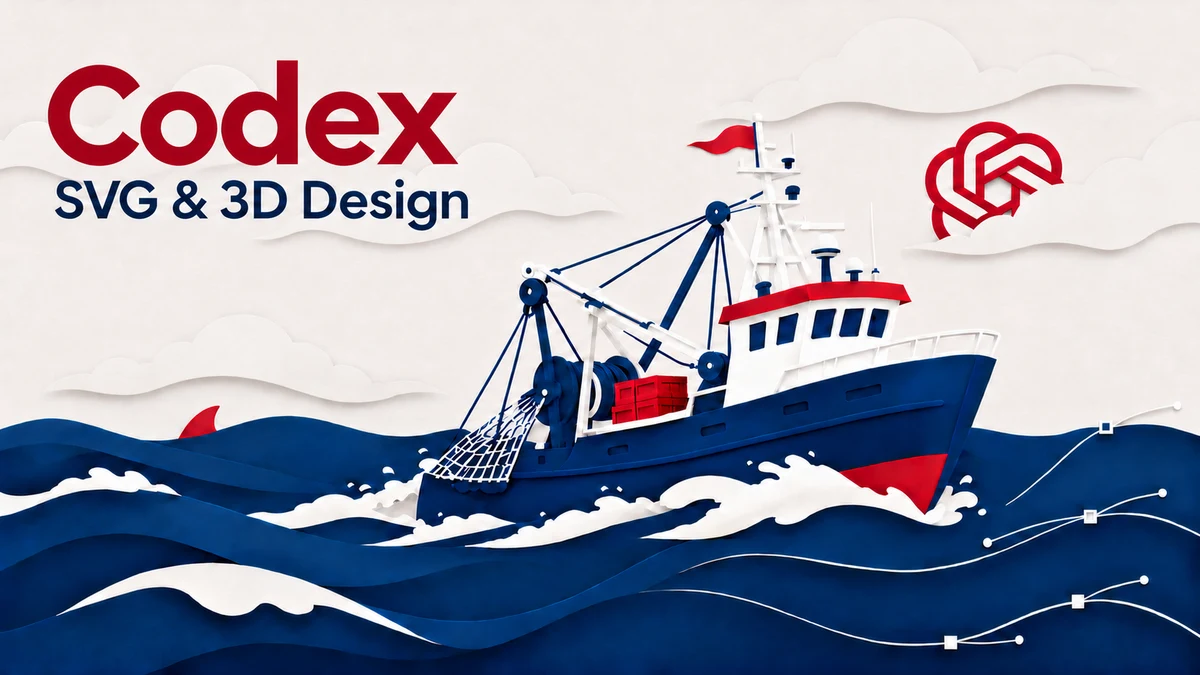
OpenAI has developed a Codex plugin called SVG & 3D Design that creates editable vector graphics, animations, interactive illustrations, 3D models, and technical drawings from plain-language instructions. You can get started without knowing how to program, draw vector graphics, or use 3D software such as Blender.
In brief
- Codex can create editable SVG files, logos, icons, and illustrations.
- You can give Codex your own images, sketches, and illustrations as a starting point. Codex can also create reference images with GPT Image.
- Code can animate the graphics and make them interactive.
- Codex can use Blender to create and check editable 3D models.
- The tools can be used for websites, games, education, product design, and 3D printing.
What is SVG?
SVG stands for Scalable Vector Graphics. It is an image format that describes graphics using code and mathematical shapes.
A digital photo is made of pixels. An SVG file can describe its image with lines, curves, circles, colors, and other geometric shapes. You can enlarge it without losing sharpness.
SVG is used for logos, icons, maps, charts, and website illustrations. Because code describes the graphics, you can also edit, animate, and control individual elements through programming.
You could make a character whose eyes follow the pointer, an engine with moving parts, or a diagram of the solar system where the viewer controls how the planets move.
Codex can create the graphics and write the code that controls them.
Both color palettes use the same SVG paths. See the example from OpenAI.
From an AI-generated image to editable graphics
GPT Image and Codex work together in this process.
Once you describe what you want to make, Codex can use GPT Image to generate a reference image. That image gives Codex a visual sketch to work from when it builds the graphics in code or creates a 3D model.
The result is an editable file. You can change its shapes, colors, sizes, and other properties individually.
The process can work like this.
- You describe what you want to make.
- Attach your own reference image or ask Codex to create one with GPT Image.
- Codex uses the reference to build an SVG file or 3D model.
- Codex checks the result and fixes any problems it finds.
- You describe the changes you want.
You can keep working on the same file without generating the entire image again each time you make a change.
The same prompt produced two SVG illustrations. The version on the right used a GPT Image reference. See the example from OpenAI.
Graphics that respond to their surroundings
In OpenAI’s demo, a fishing boat moves through an animated seascape. JavaScript, a programming language commonly used on websites, lets a wind-speed setting control how tall the waves are and how quickly they move. A separate value controls the daylight and colors.
You can also connect the illustration to real data. A website could pull information from a weather service so that the scene changes with actual weather conditions.
The animation then responds to what the software knows about the world.
Wind speed changes the waves, and daylight changes the colors. Animation from OpenAI.
Building 3D models without knowing Blender
The plugin includes instructions that guide Codex in using Blender, a free tool for 3D modeling, animation, and visualization.
Codex can build 3D objects with geometry, materials, and textures, set up lights and cameras, inspect a model from different angles, and reopen exported files to check the result.
You can open the finished project in Blender and keep editing it yourself or ask Codex to make changes.
That makes it possible to create game assets, product visualizations, buildings, furniture, characters, and entire 3D environments before you learn all the features of a 3D application.
The plugin can also help with parametric CAD, where technical models are built with defined dimensions and properties. You could design a physical product or a replacement part for a 3D printer. The dimensions, fit, and technical requirements still need to be checked before production.
For the model on the right, the reference image gave Codex details to work from, including moss around the rocks and stump. See the example from OpenAI.
New possibilities for game development
OpenAI also shows how to build an entire game environment from AI-generated concept art.
In one example, Codex built a virtual museum where visitors can explore different exhibits.
The concept art and finished game environment as seen from the museum entrance. See the example from OpenAI.
One exhibit features an animated volcano that erupts inside a glass case.
Reference images define how the environment should look. Codex builds the geometry, materials, lighting, animations, and visual effects.
People who use AI to develop games can create more of the visual assets themselves. That gives them more room to design their own environments and objects alongside any art packs or models they already use.
The miniature volcano erupts inside the museum’s glass case. Animation from OpenAI.
New possibilities for teaching
The same tools can help make interactive learning materials.
Students could explore a diagram of an engine, the human body, or an electrical circuit, inspect individual parts, change values, and see how the system responds.
Teachers can make visual explanations tailored to a lesson without a background in programming, animation, or 3D design. The material still needs to be checked for accuracy.
Creative skills become more accessible
In OpenAI’s presentation, developer Craig Dennis explains that a lack of visual design skills had limited what he could build. He had never used Blender or drawn an SVG by hand.
With AI, he can explore those areas through practical projects and learn how the tools work along the way.
AI coding agents have made software development accessible to people without a programming background. Tools like this could do the same for vector graphics, animation, 3D modeling, and interactive design.
Knowledge of design, materials, composition, and quality still matters. It takes less time to turn an idea into something you can try.
Try SVG & 3D Design
You can enable the plugin in Codex from the plugin library.