
How loop engineering keeps AI agents working toward a goal
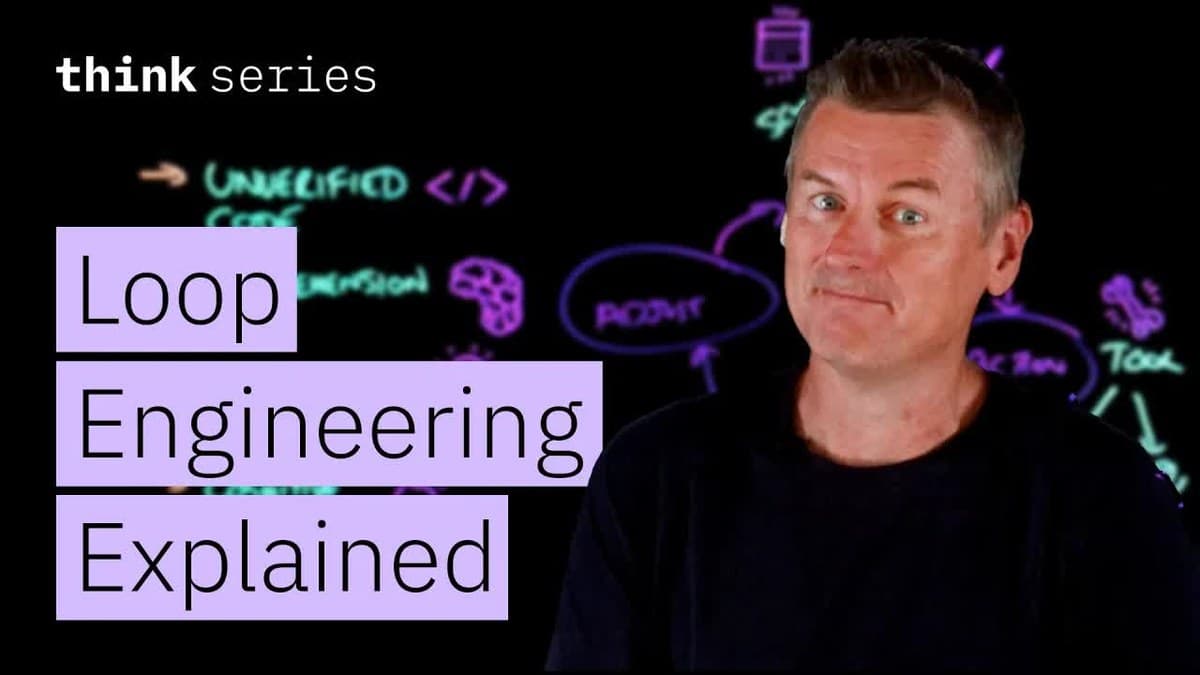
IBM TechnologyMartin KeenOctober 19, 2026Watch the video
In a video from IBM Technology, Martin Keen explains what loop engineering is and how it gets AI agents to work their way toward a goal. Loop engineering means building a system around the agent that gives it new instructions and checks its work, round after round, until the agent has reached a goal that can be checked, without a person writing each instruction. The main point is that the human still has to write the goal with a clear stopping condition, write down the intent of the project where the agent can find it, and read what the agent delivers. You will learn about the four steps in the loop, what gets built around it, and four pitfalls that mean a human is still needed.
From writing instructions to building a loop
Loop engineering is a term that belongs to working with AI agents, and it is a kind of newer version of prompt engineering. 0:02 A prompt is the text with the question or instruction you give an AI tool. In prompt engineering, a person tries to write the best prompt they can by hand and sends it to a large language model. A large language model is the type of AI behind services such as ChatGPT. It has learned language from huge amounts of text and answers with text. When the model has answered, the person has to write the next good prompt, and so on. The prompt goes back and forth between the person and the language model.
Loop engineering is designing a system that does all of this prompt-writing work for you. The system sends a prompt to an AI agent, checks the work the agent has done, and gives it a new prompt. It goes back and forth like this in a loop until the job is done, without anyone having to write each prompt by hand.
An AI agent is an AI program that does not just answer one question, but carries out many tasks one after another on its own to reach a goal, for example opening files, changing code and running tests. Code is the set of instructions that tell a computer what to do. A test is a small program that checks that the code works as it should.
The four steps in the loop
The loop has four steps, and they are easiest to understand with an example. 1:16 In the example, a checkout service has a bunch of failing unit tests. The checkout service is the part of an online store that handles the purchase when the customer pays, a bit like the checkout in a regular store. A unit test is a test that checks that one small part of the code works. The job is to get the failing tests to pass.
- Goal. The loop starts with a goal. Here the goal is to get the checkout unit tests to pass.
- Action. The agent does something. For a coding agent, meaning an AI agent that writes and changes code, that might be opening a file or editing some code.
- Observe. The agent looks at the result of what it did.
- Adjust. The agent decides its next step based on the result. Tests are often shown in green when they pass and in red when they fail. If the test went green, it is done, and the agent moves on to the next failing test. If the test is still red, the agent tries a different fix.
Then the loop goes back to the goal. Is the job done? If not, the agent goes around one more time. The loop runs in a circle, from goal to action, observe, adjust and back to the goal.
A made-up example is a thermostat in the living room with a goal of 70 degrees Fahrenheit. The thermostat turns on the heat (action), measures the temperature (observe) and turns the heat off or on based on what it measures (adjust). Then it checks again whether the goal has been reached.
A good goal can be checked
Choosing a good goal matters, because the goal is checked every time the agent has gone around the loop. 2:32 The goal is what decides whether the agent keeps going.
"Make the checkout faster" is a bad goal, in much the same way that "be happier" is a bad New Year's resolution. Neither has a test that can measure whether the goal has been reached. The agent could then go around the loop forever, or stop after just one pass and declare victory.
A good goal is, for example, "stop when every unit test in the checkout suite passes". It can be checked, so the agent will know for sure when the goal has been met. A good goal is specific and has a stopping condition. A stopping condition is a clear rule for when the job is done and the loop should stop.
What gets built around the loop
The four steps on their own are fairly simple. 3:19 Loop engineering is really about what gets built around the loop. There are five parts: something that starts the loop, context and skills that give the agent information, a logbook that remembers what happened, tools that let the agent carry out tasks, and subagents that check the result. 6:48 Below we explain each of them.
What starts the loop?
Something has to start the loop. 3:36 It might be a schedule, for example "run the checkout loop every night". A lot of teams do that with a plain old cron job. Cron is a program on many computers that starts tasks automatically at set times, a bit like an alarm clock.
The loop can also be started by a hook. A hook is triggered when something specific happens, for example when a file changes or a pull request opens. A pull request is a request from a developer to have their changes to the code checked and added to the shared code of a project. According to Keen, developers mostly use hooks for security and quality, for example to make sure the project's rules are followed.
What does the agent get to see?
Every round of the loop produces something new that the agent gets to see, and this is called context. 4:16 Context is the information the agent has in front of it while it works, for example the output from the tests or the contents of files. Context can pile up. That can make it hard for the agent to focus its attention on what matters. Attention here means how much weight the AI gives each part of the information when it decides what to do.
Context engineering means choosing which parts of the context the loop actually gets to see. That can mean compacting, which is shortening the history by replacing a long history of what has happened with a shorter summary. It can also mean using agent skills. A skill is an instruction for how a particular recurring job should be done. At first the agent only learns that the instruction exists, and the full instruction is loaded only when it is needed.
The logbook
Inside the loop is a logbook, what Keen calls the spine. 5:06 There the agent writes down what it did and whether it worked, for example in markdown files, which are simple text files. What is stored there stays from one round to the next.
The information in the logbook can tell the agent in later rounds what to do, what has worked so far, and maybe what has not worked.
Tools
In the action step, the agent might need to use something outside itself. 5:37 It does that with tools. Tools are programs the agent can use to get something done, for example to run code or fetch information.
The agent can get access to tools through standards such as MCP, which stands for Model Context Protocol. MCP is an open standard, meaning a shared set of rules, for how AI programs connect to tools and other systems. The agent can also use tools directly through APIs. An API is a fixed way for one program to ask another program for data or to do something.
Agents use tools to run code, to access the file system, to run commands in the terminal and to fetch data from databases. The file system is the way files and folders are organized on a computer. The terminal is a window where you control the computer by typing commands as text. A database is an organized collection of data, for example all the orders in an online store.
Subagent
At the observe step, good loop engineering brings in a second agent, instead of having the agent that wrote the code also check it. 6:11 The second agent is called a subagent. It checks the work, and it is also a co-worker that the main agent can hand tasks off to.
The subagent has its own instructions and its own context. It may be powered by a different AI model than the main agent. The AI model is the actual AI that an agent is built on, for example a large language model. When the subagent is done, it sends its results back.
Four pitfalls
Keen says that loop engineering requires "minimal" human involvement compared to prompt engineering, because the agent writes its own prompts instead of a person submitting them by hand. 7:14 But even a well-built loop, with a subagent, a logbook and all the rest, still needs a human. Keeping a human in the loop helps avoid the most dangerous pitfalls when code is generated automatically. Below we explain the four pitfalls.
Code nobody has checked
The first pitfall is unverified code, meaning code nobody has checked. 7:52 A subagent that checks the code is still just an agent. Ultimately, human developers are responsible for all code that is shipped, meaning put into use. That means a real person has to read and check the code.
Comprehension debt
The second pitfall is comprehension debt, the gap between the total amount of code in a system and how much of it humans actually understand. 8:09 The word "debt" is used as an image of something that piles up and that someone has to deal with later. As agents write more code and humans check less of it, comprehension debt will keep going up. It can build up pretty fast, because agents write a lot of code.
If nobody does anything about it, comprehension debt can be a big problem when developers need to fix urgent failures in production, or when they need to plan a migration. Production is the version of a program that real users use. A migration is moving a system over to a new solution, for example a new database.
Intent debt
The third pitfall is another kind of debt, intent debt. 8:44 The intent here is the reason the system was made the way it is, and what the project is meant to achieve. An agent can read what a system does, but working out why the system does it can be harder, unless someone has written it down somewhere, perhaps in a file called AGENTS.md. AGENTS.md is an open format for a text file in the project with instructions and explanations for AI agents.
Without such explanations, the agent can make a change that is technically sound but goes against the project's goals. In the checkout example, maybe the agent fixes a failing test by relaxing the check on discount codes. The check is there to make sure only valid discount codes are accepted. That is a perfectly good fix as far as the tests are concerned, but a perfectly bad one for the bottom line, meaning how much money the store makes.
The human's job here is to write the intent down, keep it up to date and keep it visible to the AI agent.
Cognitive surrender
Keen calls the fourth pitfall cognitive surrender. 9:32 Cognitive means "having to do with thinking." When a person hands work off to the agent, it can lead to the person blindly accepting whatever came out of the loop, with the attitude "if the AI did it, I'm sure it's right". It is very easy to fall into this.
When that happens, comprehension debt also goes up, because nobody is even trying to understand what the AI has produced.
The human's three jobs
"Minimal" human involvement turns out to be quite a specific amount of involvement. 10:05 The human writes the goal with a stopping condition, as explained in the section on good goals. The human writes down the intent where the agent can find it, as explained under intent debt. And the human reads what the agent delivers, as explained under code nobody has checked. Loop engineering works best when there is a human in the loop.
Key takeaways
- Loop engineering means building a system that gives the AI agent new instructions and checks its work, round after round, instead of a human writing each instruction.
- The loop has four steps. The agent has a goal, does something, looks at the result and adjusts, and then the goal is checked again.
- The goal must be something that can be checked and must have a clear stopping condition, or the agent may go on forever or stop too early.
- Around the loop, people build something that starts it, a selection of the information the agent gets to see, a persistent store of what has worked, tools the agent can use, and subagents that check the work.
- Even a well-built loop needs a human. The human has to write the goal with a stopping condition, write down the intent where the agent can find it, and read and check what the agent delivers, so comprehension debt does not grow.
Sources and further reading
- IBM Technology: What Is Loop Engineering? Building Better AI Agents, YouTube, October 19, 2026.
- IBM: What Is Loop Engineering?, website that IBM links to in the video description.
- Model Context Protocol: What is the Model Context Protocol (MCP)?, website.
- AGENTS.md: an open format for guiding coding agents, website.