
Grok Bot turns AI agents into digital coworkers
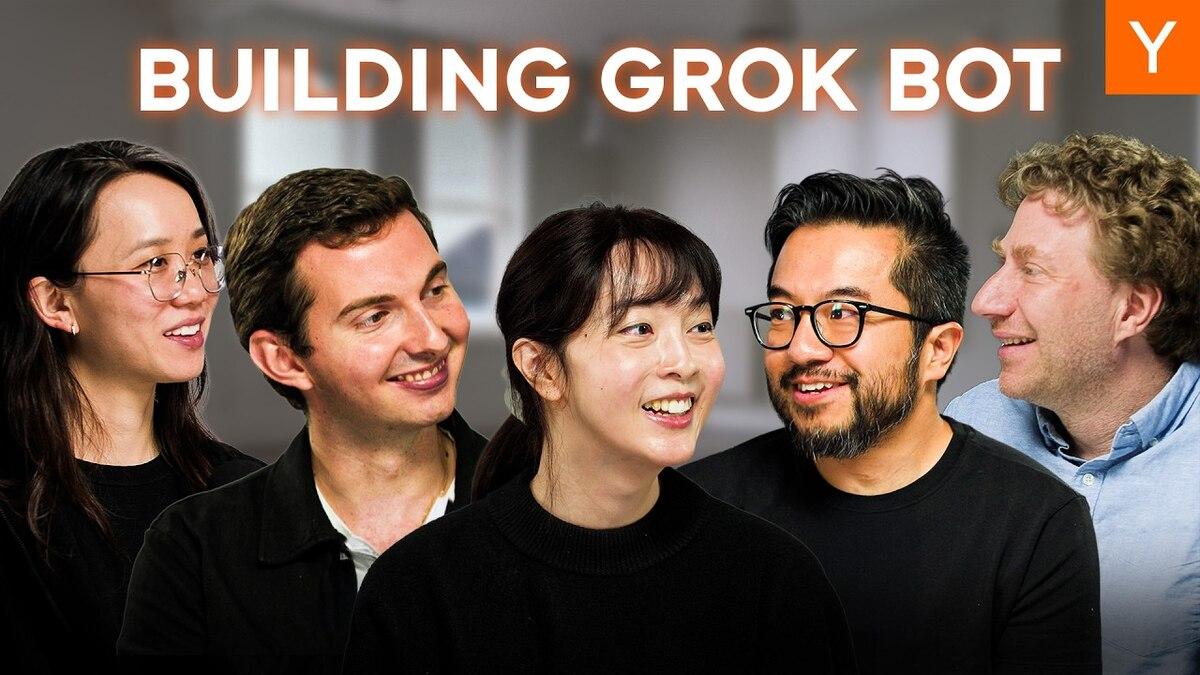
Y Combinator · Lightconewith Lauren Tan & Roman UgarteNovember 14, 2026Watch the video
Grok Bot is a platform for creating AI coworkers with their own responsibilities and tools. They can work continuously, collaborate with one another, and take initiative on their own.
In an interview with Y Combinator, Lauren Tan and Roman Ugarte, who helped develop Grok Bot, explain how the technology is used in practice. They describe AI bots that handle customer service, analyze data, work on marketing, and direct other AI agents that develop software.
The goal goes beyond automating individual tasks. Individuals and companies could organize parts of their work around AI bots, much as they organize employees and departments.
What is Grok Bot?
Grok Bot is a platform for creating what the developers call AI teammates.
Each bot can have its own name, identity, instructions, skills, and tools. Instead of starting a new chat every time you need help, you set up a bot with a responsibility it can carry out over time.
The developers emphasize three principles.
Organize work around the bots themselves. The bot has a responsibility and uses chats, documents, files, and tools to carry it out.
Give bots access to the same tools people use. That can include their own computers, apps, websites, and accounts, within the permissions they have been given. They can take actions beyond answering in text.
Let bots work continuously and proactively. A bot can keep an eye on an area, spot problems, carry out tasks, and come back with suggestions or results without waiting for the next instruction.
Grok Bot began as an internal prototype and took about seven weeks to build, according to the developers. They wanted to take the methods that had worked with AI coding agents and make them available for other kinds of work in a company.
A typical AI assistant helps with a task when someone asks. An AI coworker has a responsibility to follow up on over time.
One bot or several specialists?
Grok Bot lets users organize their bots in different ways. The right structure depends on the work.
You can have one general-purpose bot that helps with most things, or several specialists with their own responsibilities.
The developers describe two ways to organize them.
By function. One bot for programming, one for marketing, one for customer service, and one for finance.
By customer or project. One bot per customer or project. A single bot can handle several kinds of tasks within its area of responsibility.
Roman says he prefers a small group of bots, each responsible for one thing. He compares it to hiring people who care deeply about a particular problem. One person can only keep track of so many things at once.
Each bot also has its own context and skills. Context is the information the bot has available to understand the task and the situation it is working in. Skills can include specific instructions and procedures for particular tasks.
That means the bots can be adapted and refined for different jobs.
You can build a team of specialists instead of putting every responsibility on a single assistant.
Bots can work together
One of Grok Bot’s main features is that bots can talk to one another and delegate tasks.
Lauren has a personal coding bot called Potato. The company also has a shared data bot.
When Lauren investigates a problem, she can ask Potato to contact the data bot to find out how many users are affected.
Potato can get the information it needs from the specialist without direct access to every data source.
The developers also describe a setup with a lead bot that directs other bots.
A lead bot can take a goal, assign tasks to several coding agents, check their results, and give them feedback. Lauren says she has seen a lead bot pass her feedback along to the agents it was directing.
These conversations can happen in the Grok Bot app or in Slack, where people can read the messages the bots exchange.
That lets someone communicate with one bot while several others work together on the job.
Team Bots lets the whole company use the same bots
The developers also describe a feature called Team Bots.
Instead of having everyone create a bot for the same kind of work, a company can set up one shared bot.
A sales department, for example, could have a shared sales bot. An experienced salesperson can improve the bot’s instructions, methods, and skills so the whole team benefits.
The developers also describe a system with bot owners, maintainers, and collaborators.
A subject matter expert can take responsibility for improving a bot and checking its work, much as an experienced employee trains a new colleague.
The goal is to make the most skilled employees’ knowledge available to everyone through the same bots.
How is Grok Bot used in practice?
In the interview, Lauren and Roman describe several ways people already use the bots, both for personal tasks and across departments.
Marketing and advertising
The marketing team gave a bot its own login and access to Google Ads and Facebook Ads.
The bot gets a budget and works on ad campaigns.
The design team has its own bot that creates ad material.
The marketing bot can talk to the design bot, get different versions of an ad, and set up A/B tests to see which ads work best.
A/B testing compares different versions of something, such as an ad, to see which performs best.
In this example, several AI bots work together to produce, test, and run ads.
Customer service
Customer service is one area where the developers see a lot of potential for automation.
A customer service bot can monitor incoming requests, read about the problems, and sort them into categories.
If a customer reports a software bug, the bot can investigate and try to reproduce it. It can then involve coding agents to try to fix it.
Some requests can be handled from start to finish. Others are passed to the right person.
The developers describe a team that receives a large volume of customer requests and uses a shared bot to sort them, resolve some automatically, and escalate the rest.
Here, escalating means passing a case to someone with the expertise or authority to handle it.
Data analysis
The data team created a specialist bot with read-only access to the data warehouse, the system where the company stores data for analysis.
Previously, employees had to send questions to data analysts in Slack. For example, they might want to know how many users had used a particular feature.
Employees can now ask the bot directly.
The bot looks up the relevant data and answers without being able to change the database.
This frees up time for data analysts and gives the rest of the company quicker access to information.
Purchasing and suppliers
The developers also mention a department that created a bot for purchasing from suppliers.
It lives in Slack and is available to the team.
They give few details about which purchasing processes the bot handles, but describe the area as full of tasks that are well suited to automation.
The example shows how departments can set up bots for specific tasks themselves, even when the IT department is not involved.
Sales
The sales department has started building its own automated workflows.
The bots research prospective customers, gather information about sales opportunities, and help with practical sales tasks.
The team uses shared specialist bots that draw on the experience, methods, and routines of the whole sales team.
The aim is to automate several connected steps in the sales process, beyond a single search for leads.
Personal assistants
Lauren also uses personal bots that she does not share with the company.
One helps her decide what to have for lunch, and another works with email.
They do not have to be available in Slack because they do not work with other employees.
Small businesses and accounting
The developers say small businesses are among the most interested users.
One reason is that smaller companies often lack the resources to hire someone for every function.
Accounting and bookkeeping are two examples of work that a specialized bot could potentially take on.
The interview presents this as a possibility. It offers no evidence that a Grok Bot can keep a complete set of books accurately and independently. The example illustrates how small businesses could automate tasks they would otherwise have to handle themselves or hire someone to do.
How are the bots used for programming?
In one of the more advanced examples, Lauren uses Grok Bot to manage AI coding agents.
She says she used to work directly in Cursor and had to collect information from Slack, colleagues, and several systems before she could give a coding agent a task.
With Grok Bot, much of that work now happens in Slack.
Lauren shows how she and her colleague Samantha built a new feature with Potato.
It starts when Lauren shares a video she found on X and asks Potato what it would take to support a similar feature.
Potato then starts a Cursor Cloud Agent.
A Cursor Cloud Agent is an AI coding agent that works in its own virtual computing environment in the cloud. It can write code, run the program, test a feature, and return screenshots and videos showing the result.
Lauren and her colleagues can see those results in Slack and give feedback as the work progresses.
In this example, the whole collaboration took place in a single Slack thread with about 200 messages.
Lauren says she finished the project without even opening Cursor. She worked through Slack, gave direction, and evaluated the results.
The feature eventually shipped.
The interview also reports that Lauren now produces more than 4,000 pull requests a month. A pull request, often shortened to PR, proposes merging code changes into a software project.
The neat thing about this workflow is that Grok Bot can coordinate the work and hand the coding to specialist agents.
Grok Bot connects the conversations, tasks, information, and agents that do the programming.
Inner loop and outer loop
The developers use the terms inner loop and outer loop to explain how agents can work more independently.
The inner loop is doing the work
A coding agent writes code, runs the program, checks whether it works, finds problems, and fixes them.
The agent repeats the process until the result meets the requirements.
That repetition is what makes it a loop.
Lauren considers the ability to check the results of its own work fundamental to a good coding agent.
If an agent cannot test what it built, a person has to do much of the checking.
Lauren describes how an agent can use performance measurements, technical traces, and direct interaction with the program to inspect its work.
The agent should test the program as a user would, look for bugs, and try to fix them before treating the work as done.
The outer loop is the system around the work
The outer loop is about how tasks arise, get assigned, and are followed up on.
That is where Grok Bot comes in.
An alert, a customer message, or an issue in a monitoring system can start a process automatically.
Grok Bot can collect information about the problem, put a coding agent to work, and follow up on the result.
That process can repeat without someone starting it manually each time.
The developers see this combination as a way to manage many AI agents together.
This is called orchestration. It means coordinating several agents as they work toward a shared goal.
Loops, skills, and Pstack
In the interview, Lauren also explains how bots learn the way they are supposed to work.
A skill is a reusable set of instructions for carrying out a particular task.
Lauren has built her own collection called Pstack, short for Potato Stack.
She compares these skills to the knives a chef brings to a new kitchen. The chef comes with their own methods, preferences, and tools, wherever they work.
Pstack sets out her methods for thorough software development. The agents she starts can use those methods.
The developers also mention AGENTS.md, static code analysis, lint rules, and automated tests as ways to check quality.
AGENTS.md is a file that can tell AI coding agents how to work on a project. Lint rules and static analysis help catch certain errors and violations of coding rules, often without running the program.
A loop connects skills like these to a recurring process or one triggered by an event.
The interview compares this with cron jobs and webhooks. A cron job runs automatically on a schedule. A webhook can start a process when a specific event happens.
The developers emphasize building clear rules and checks into the system itself.
That saves AI tokens that would otherwise be spent finding the same issues in code review each time.
Tokens are the small units that AI models use to process text and other information. More extensive tasks and reviews can use more tokens, which affects costs.
Lauren says that over time she has allowed agents to merge their own pull requests. That takes substantial work up front to check quality.
She also says people should still be involved in more critical changes, such as changes to databases, infrastructure, or software deployment.
Bots can find and fix bugs automatically
The developers describe a system in which a bot called Sandy collects large amounts of user feedback.
It draws on the product itself, customer service, and X.
The system can identify recurring problems and pass them to coding agents to investigate and fix.
For straightforward software bugs, the developers say agents can reproduce a problem, implement a fix, test it, merge the change, and deploy it automatically.
They mention that updates like these can go out at three in the morning.
The developers distinguish between automated maintenance and product development.
It can make sense to fix a small bug without involving a person. Changes to the interface and new features call for more careful review.
They want people to decide when and how the product should change.
They test larger changes internally and let people decide which features to release.
Bots work where people already work
Lauren says she now spends much of her time with her bots in Slack and on X, outside the Grok Bot app itself.
She can add a bot to an existing conversation so it can read the relevant information and contribute directly.
That saves the manual work of copying conversations, links, and descriptions between tools.
It also makes the collaboration visible to colleagues.
When someone sees how Lauren uses Potato to solve a problem, they can learn the method and use it themselves.
The developers think shared conversations can help spread effective ways to work with AI across a company.
The aim is for bots to work inside the tools people already use, such as Slack and Google Docs.
Identity, access, and security
The developers call this one of the biggest unsolved challenges.
To work as a coworker, an AI bot needs an identity and the right permissions.
The developers compare it to hiring an employee.
A new employee gets a computer and access to the systems they need for their job. Their access is limited by role and responsibility. It can be expanded as they earn trust.
The developers want to apply the same principles to bots.
A data bot that only retrieves information, for example, has no need for permission to edit or delete data.
Technical permissions are one part of the problem.
The developers have found that bots in conversations with several people can struggle to tell whose instructions to follow.
A bot may be unfamiliar with the company’s hierarchy, with who is responsible for which area, or with who has the authority to make decisions.
The developers say current models and systems are still catching up.
They also see security in systems where many AI agents work together as an area with a lot of work ahead.
Three levels of autonomy
The developers describe how companies can gradually give AI bots more responsibility as they build trust in the systems.
Level 1. Observe and provide information
A bot can read data, analyze information, and answer questions. Its access is read-only.
This is often the first step in building trust.
For example, a data bot can answer questions by retrieving information from a company database without being able to change its contents.
Level 2. Carry out tasks from start to finish
A bot gets access to the tools it needs and can complete a specific task.
It might investigate and fix a bug, handle a customer request, or carry out an administrative process.
The bot can now do the work as well as provide information.
Level 3. Take on an ongoing responsibility
A bot is given a goal and works toward it continuously.
It can take initiative, track results, spot problems, and determine which tasks will help it reach the goal.
For example, a bot could be responsible for monitoring and improving a particular part of the business.
The developers say many companies are still at the first level. The second level already applies to a range of tasks.
The third level is the long-term goal. The developers emphasize that the technology is still at an early stage.
How could this change the way companies are organized?
Toward the end of the interview, the developers discuss AI-native companies, where AI is a basic part of how work is organized.
They compare software development with other parts of a company.
Programming already has a lot of infrastructure for checking results. Code can be compiled, tested, and run through CI.
CI stands for continuous integration. It lets teams check and test code changes automatically as they are added to a project.
In sales, marketing, customer service, and administration, it is often harder to define what a correct or good result looks like.
A lot of important knowledge also exists only in employees’ heads, in conversations, or in documents that are hard to find.
The developers think companies could find new ways to organize information, responsibilities, and tasks if AI bots become a regular part of their work.
They use the term everything factory to describe how the principles behind a software factory might eventually apply across a company.
A software factory is a system in which AI agents can do much of the work of developing software through automated processes, from handling tasks and making code changes to testing and deployment.
An everything factory applies the same idea to other functions, such as sales, customer service, finance, and marketing.
The developers also think the bottleneck is shifting.
As it gets easier to produce code, marketing material, analyses, and other work, it becomes more important to decide what needs doing, why it matters, and how to tell whether the result is good.
That still takes an understanding of the product, subject matter expertise, and human judgment.
What do the developers see ahead in 2027 and beyond?
Lauren hopes bots will eventually work more like independent coworkers.
She mentions phone numbers and payment cards of their own, as well as access to more of the tools people use.
They also discuss how bots might participate more naturally in meetings and work on documents.
A more speculative topic is whether people might one day communicate with AI through interfaces beyond chat, such as technology that directly connects the brain to a computer.
These are ideas for the future. The interview does not establish that Grok Bot offers them today.
Key takeaways
Grok Bot moves AI beyond individual conversations into a system where bots have ongoing roles, their own tools, and the ability to work together on real tasks.
Grok Bot gives AI agents the identities, context, tools, and permissions they need to do their jobs and work with one another.
The interview shows how people can manage fairly complex workflows by talking to one bot while specialist agents do much of the work.
That could be especially relevant for small businesses that cannot hire someone for every job. They can organize AI agents by function or responsibility, let them collaborate, and gradually automate more tasks.
A system like this takes more than setting up a group of bots. It needs clear instructions, appropriate access, dependable testing, well-defined goals, and control over what agents are allowed to do.
The shift is from giving AI individual tasks to organizing AI bots as a team with roles, tools, and responsibilities. People spend more of their time setting goals, prioritizing, coordinating, and evaluating results, while agents do more of the practical work.